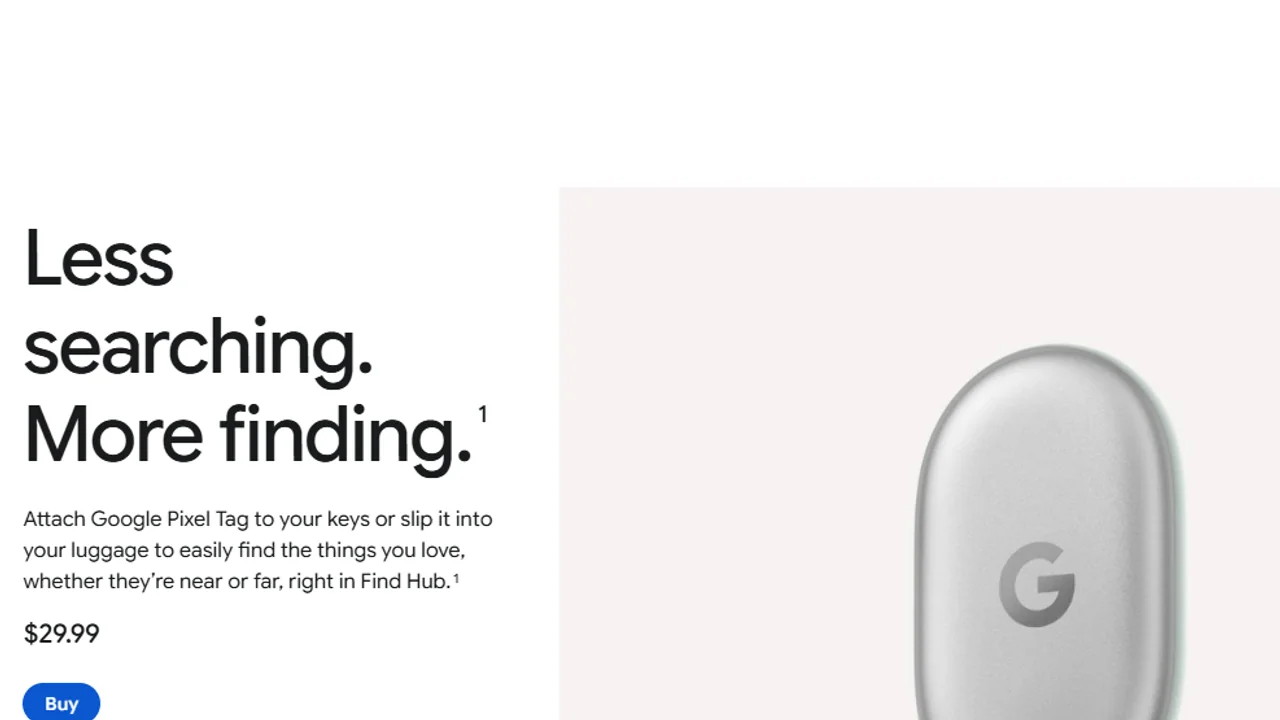
Google Pixel Tag works with any Android phone running Android 9 or later, including Samsung Galaxy phones, but it doesn't work with iPhone. It pairs through Fast Pair and shows up in Google's Find Hub app. The basics, like ringing the tag and seeing it on a map, work on any of those phones. Two extras need newer hardware: arrow-style Precision Finding needs a phone with Ultra Wideband (UWB), and Bluetooth Channel Sounding needs Android 16 and Bluetooth 6.0. That's from Google's Pixel Tag specifications.
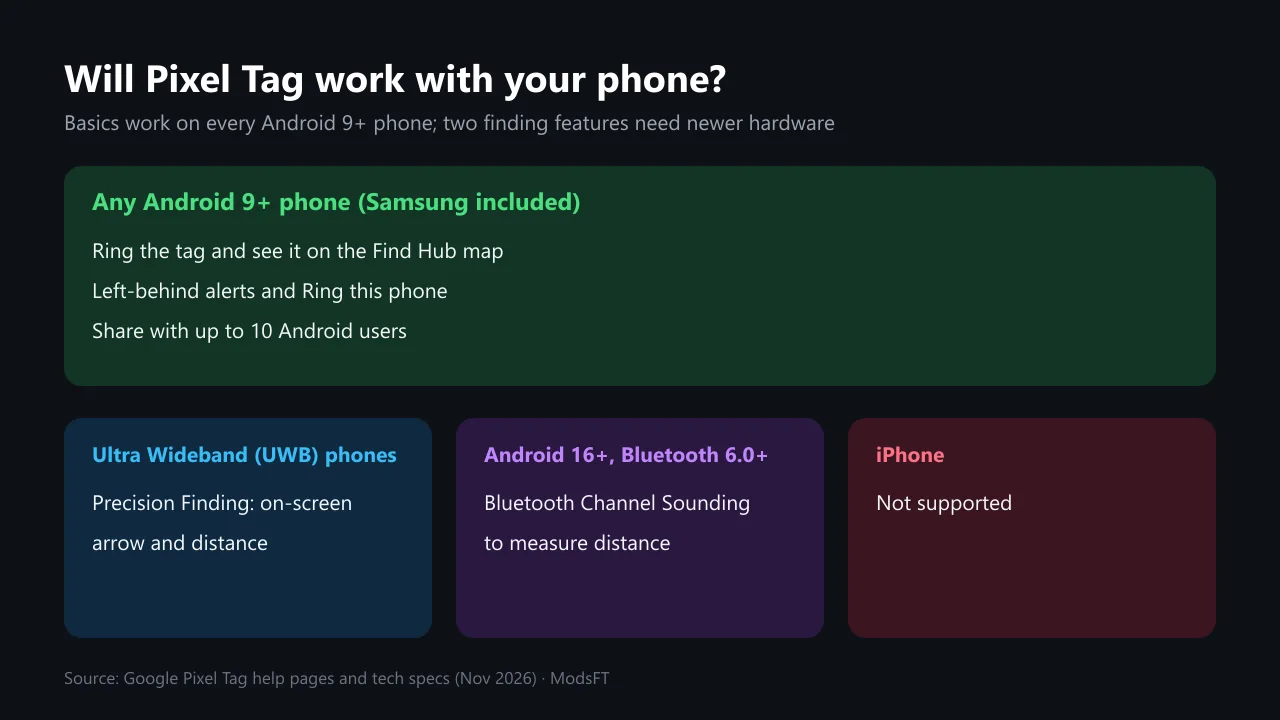
What works on every Android 9+ phone
- Find on a map. When the tag is out of Bluetooth range, Find Hub shows its last reported location using Google's Find Hub network.
- Play a sound to find it nearby.
- Left-behind alerts when you walk away from it, with places you can exclude.
- Ring this phone. Press the tag's button twice and your phone rings, even on silent, if it's in Bluetooth range.
- Sharing with up to 10 people, as long as they use Android.
- NFC tap to open the tag's details.
What needs a newer phone
Precision Finding (Ultra Wideband)
The on-screen arrow and distance meter in Find nearby need a phone with UWB. Many high-end phones have it, including recent Pixel Pro models and Samsung's Plus and Ultra models, but many mid-range phones don't. To check, search your phone's Settings for "UWB" or "Ultra-wideband". If nothing comes up, your phone probably doesn't have it.
Bluetooth Channel Sounding
Google lists Channel Sounding, a newer way to measure distance over Bluetooth, but says it needs Android 16 or later and Bluetooth 6.0 or later. Check your Android version in Settings > About phone. Your phone's Bluetooth version is on its spec sheet on the maker's website.
Does Pixel Tag work with Samsung phones?
Yes. Samsung Galaxy phones on Android 9 or later can pair it and use it in Find Hub like any other Android phone. Samsung also sells its own SmartTag trackers, which use Samsung's SmartThings Find. If everyone in your house uses Samsung, either works; if you mix Android brands, Pixel Tag's Find Hub sharing works across all of them.
Does Pixel Tag work with iPhone?
No. Google says it works with Android phones, and tag sharing only works with Android users. iPhone owners should look at Apple's AirTag instead.
How to set it up
- Turn on Bluetooth and make sure the phone is online and unlocked.
- Hold the tag next to the phone and pull out the plastic battery tab.
- Tap Connect on the pop-up, accept the terms, and allow location While using the app.
- Name it in Find Hub, for example "Keys" or "Backpack".
No pop-up? Go to Settings > Connected devices, or open Find Hub and tap Add device. These steps come from Google's setup guide. Find Hub is the same app that finds a lost phone; see our guide to finding a lost Android phone with Find Hub.
Where you can buy it, and the price
Pixel Tag went on sale on November 11, 2026, in eight countries: the US, UK, Canada, Australia, India, Japan, Singapore and Taiwan. It's listed at $29.99 in the US and £29.99 in the UK, with four-packs at $99.99 and £99.
Switzerland and the EU aren't on the list yet. Google Store Switzerland doesn't sell it, although Google's warranty page already lists Switzerland with two years' cover. That isn't a launch date, so treat a grey-import tag as a gamble until Google confirms support.
Privacy: stopping someone tracking you with one
Google says Find Hub encrypts tag locations end to end, so Google can't see them. If an unknown tag travels with you, your Android phone shows an alert. You can play a sound to find it, see its info, and disable it by holding its button for 2 seconds three times or by removing the battery. More in our guide to Android scam and safety features.
Questions people ask
How long does the battery last?
Google says over a year, and it uses a standard CR2032 coin cell you can replace yourself.
Is Pixel Tag waterproof?
It's rated IP67: dust-tight and protected in up to 1 metre of water for 30 minutes. That's splash and rain resistance, not swimming.
Can I put Pixel Tag in checked luggage?
Yes. Google says its CR2032 battery meets airline rules. Put it in a fabric pocket, because aluminium cases and RFID-blocking wallets can block the signal.