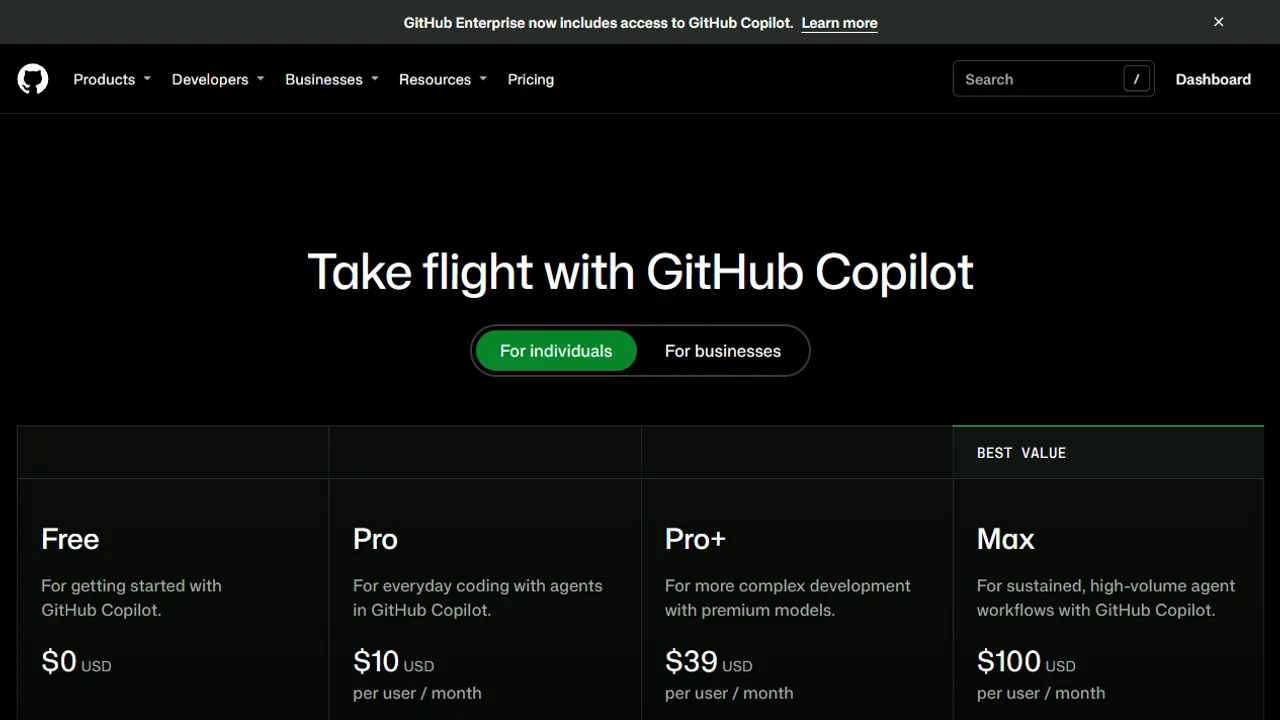
GitHub Copilot Free gives you AI code suggestions and chat at no cost. Sign in to GitHub, start the Free plan from the Copilot plans page, and install Copilot in your editor. No credit card is needed. You get 2,000 code completions a month plus limited chat and agent use. The allowance resets on the first day of each month.
What Copilot Free includes
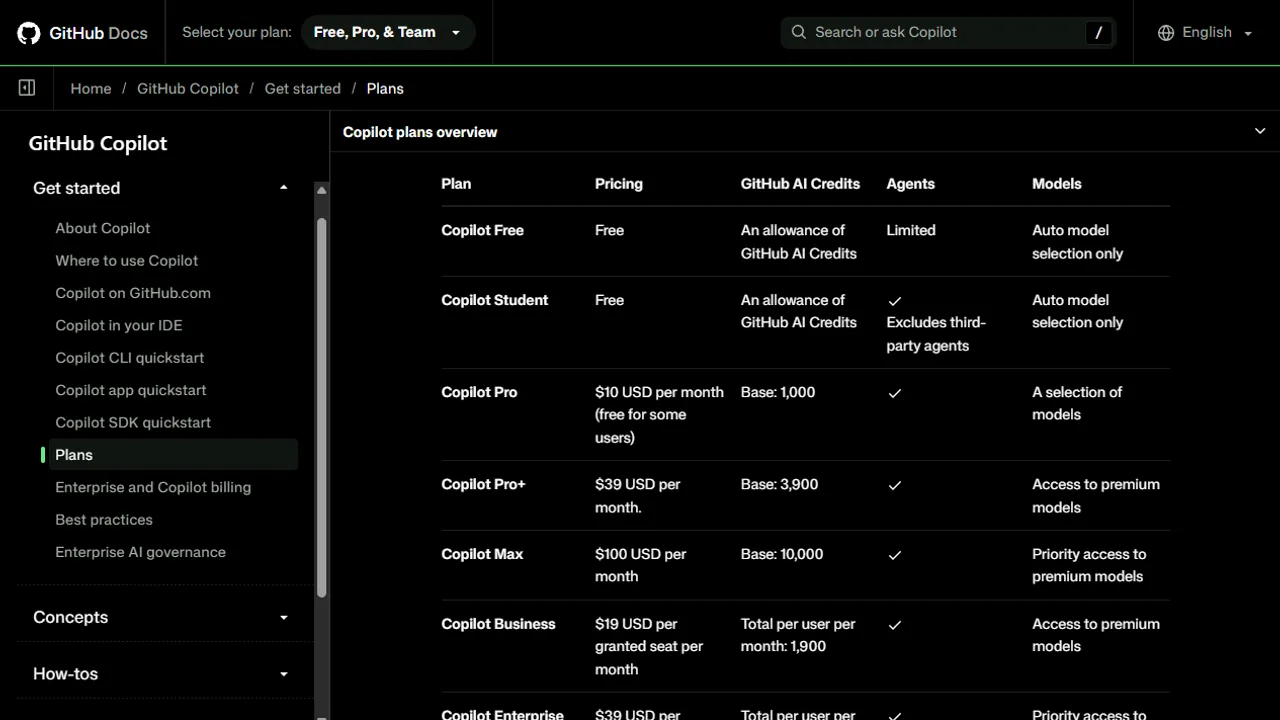
According to GitHub's plan documentation, Copilot Free includes:
- 2,000 code completions a month. These are the inline suggestions that appear as you type.
- Copilot Chat in supported editors, on GitHub.com and in GitHub Mobile, with a limited allowance.
- Agent mode in editors such as VS Code, Visual Studio, JetBrains IDEs, Eclipse and Xcode, within the same allowance.
- Copilot CLI for use in a terminal.
- Automatic model selection. On Free, Copilot chooses the model for you.
Some features need a paid plan. They include Copilot in the cloud, which can work on a task and open a pull request, and full code review of pull requests. In VS Code, Free includes only "Review selection" code review.
How to set up Copilot Free in VS Code
- Sign in to GitHub. Use a personal GitHub account. Copilot Free is only for developers who don't already get Copilot through an organization or enterprise.
- Start the Free plan. On the Copilot plans page, select Get started under Free, or select Open in VS Code.
- Install Copilot in VS Code. Open the Extensions view, search for GitHub Copilot, install it, and sign in with GitHub when asked.
- Try a completion. Open a code file and type a comment that describes a small function. Press Tab to accept a suggestion, or keep typing to ignore it.
- Open chat. Open the Copilot Chat view and ask a question about the file in front of you, such as "explain this function".
Copilot also works in Visual Studio, JetBrains IDEs, Xcode, Neovim, Eclipse, Zed and other editors listed on the plans page. The setup in each one is similar: install Copilot, then sign in with GitHub.
What happens when the free allowance runs out?
Chat, agent mode and the CLI use GitHub AI Credits. GitHub's billing documentation says the allowance resets at 00:00 UTC on the first day of each calendar month. Unused credits don't carry over. The Free plan can't buy extra credits, so when the allowance runs out you have two choices:
- Wait for the monthly reset.
- Upgrade to Copilot Pro at $10 a month, which includes unlimited completions and a monthly credit allowance.
Long agent sessions use more of the allowance than short questions. To make the free allowance last, use chat for focused questions about one file. Write the routine code yourself.
Copilot Free vs Copilot Pro
| Feature | Copilot Free | Copilot Pro |
|---|---|---|
| Price | $0, no card | $10 a month |
| Code completions | 2,000 a month | Unlimited |
| Chat and agent mode | Limited allowance | Monthly AI credit allowance |
| Model choice | Automatic only | A selection of models |
| Copilot in the cloud and pull request review | Not included | Included |
| Extra credits | Can't buy | Can buy |
Start on Free for a month. If you run out of completions in the first two weeks, Pro may be worth the price for your work. If you rarely reach the limit, stay on Free.
Suggestions not appearing?
- Check the account. Make sure the editor is signed in to the GitHub account that has Copilot Free.
- Check the status icon. The Copilot icon in the editor status bar shows whether Copilot is active or has a problem.
- Check the monthly limit. After 2,000 completions, suggestions stop until the next reset.
- Check organization access. If an organization already gives you Copilot, its policies apply instead of the Free plan.
Free options for students, teachers and maintainers
Verified students can use Copilot Student at no cost. It includes unlimited code completions. GitHub also says verified teachers and maintainers of popular open source projects may qualify for free Copilot Pro. Check the student and teacher setup pages in GitHub Docs for the verification steps.
Use Copilot suggestions safely
- Read every suggestion before you accept it. A suggestion can compile and still be wrong.
- Run your tests after accepting larger changes.
- Keep passwords, API keys and private customer data out of chat.
- Check the license terms of your project before you paste in code from any outside source.
Common questions
Does Copilot Free need a credit card?
No. The plans page says no credit card is required for the Free plan.
Can I choose the model on the Free plan?
No. Copilot Free uses automatic model selection. Choosing a model needs Copilot Pro or a higher plan.
What else can I use for free?
For long coding tasks, you can try an open model through Ollama. Our guides cover Reflection Beam on Ollama and using Claude Code with free models.