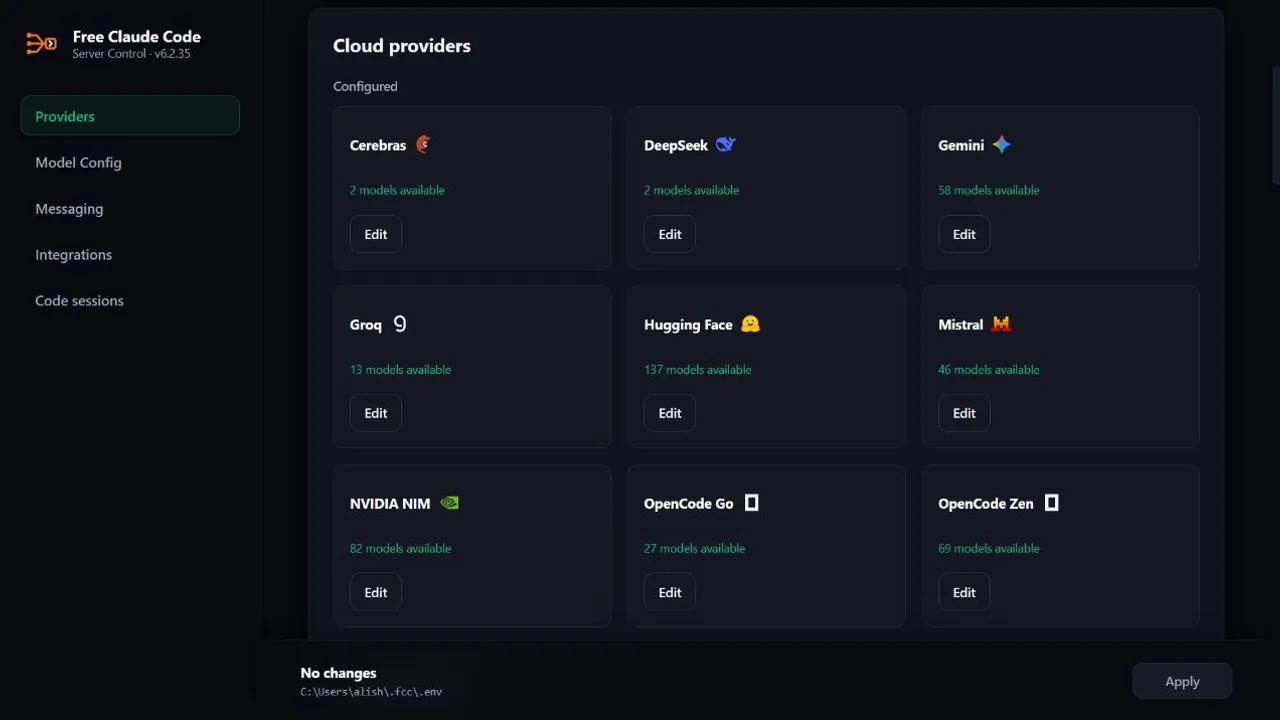
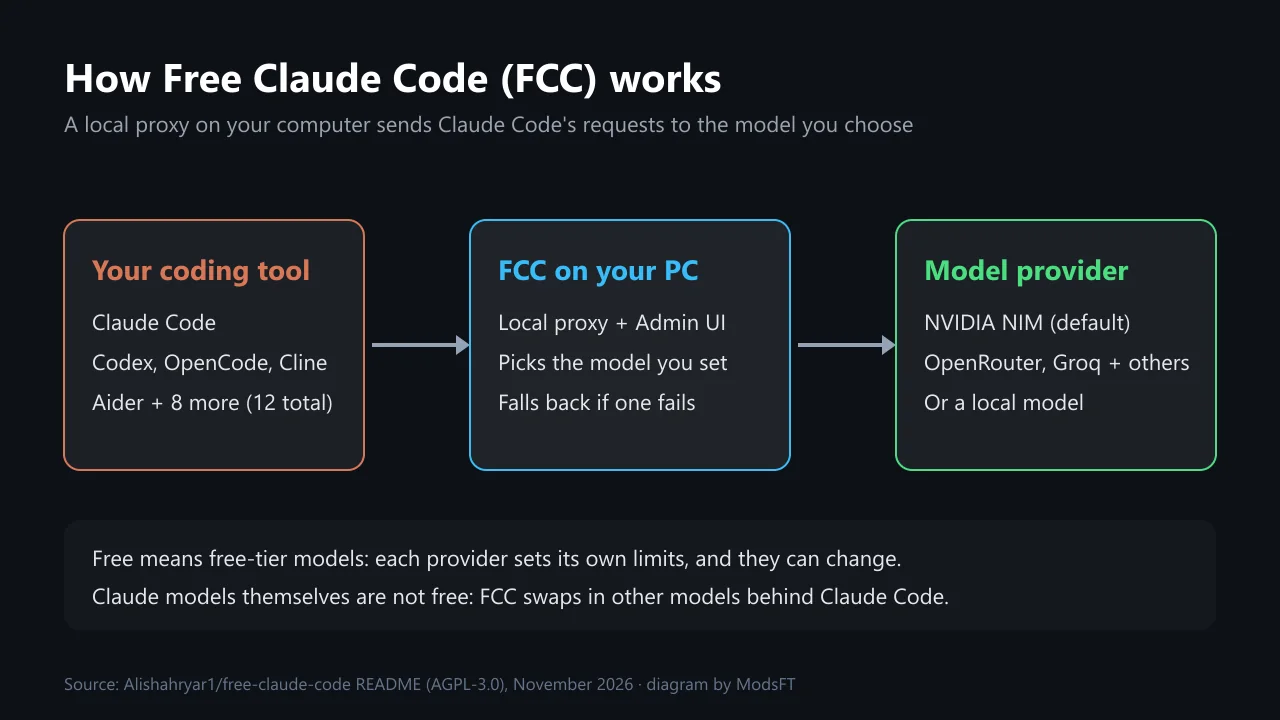
Free Claude Code (FCC) is an open-source tool that lets you use Claude Code with free AI models instead of a paid Anthropic plan. It runs a small proxy on your computer: Claude Code talks to FCC, and FCC sends each request to a model you pick, such as a free NVIDIA NIM or OpenRouter model, or one running on your own machine. The GitHub project has about 72,000 stars and was updated this week.
It's free and open source (AGPL-3.0), but it doesn't make Anthropic's Claude models free. You get Claude Code's interface and tools, powered by a different model.
What Free Claude Code can do
According to the README, FCC:
- works with 12 coding tools: Claude Code, Codex, OpenCode, Cline, Aider, Pi, Hermes, Grok Build, Muse Code, DeepSeek Harness, Antigravity CLI and VS Code Chat
- connects to 61 providers, including free, paid, subscription and local ones
- lets you switch models from Claude Code's own
/modelpicker - retries and falls back to another model or API key when a provider fails
- can be used from the terminal, desktop apps, VS Code and JetBrains, or even Discord and Telegram on your phone
The project says this adds up to more than 1.3 billion free tokens a month across providers' free tiers, but each provider sets and changes its own limits.
How to install FCC
- Install. On macOS or Linux the README gives a one-line install script; on Windows it gives a PowerShell command. Open the script link and read it before running it, as you should with any script piped into a shell.
- Start FCC. On Windows and macOS, open "Free Claude Code" from the Start menu or Applications. On Linux, run
fcc-server. The Admin UI opens in your browser. - Add a provider key. The default is NVIDIA NIM: create a free key at build.nvidia.com, paste it under Providers in the Admin UI, and click Save.
- Pick a model in the MODEL list and click Apply.
- Run Claude Code through FCC with
fcc-claude. Other tools have their own commands, such asfcc-codexorfcc-aider.
You also need Claude Code itself; follow Anthropic's setup guide. Anthropic documents using Claude Code through an LLM gateway, which is the role FCC plays.
What's free and what isn't
- Free: the FCC software, Claude Code's interface, and providers' free tiers.
- Not free: Anthropic's own Claude models. FCC routes Claude Code's model slots to other models.
- Limits: free tiers have rate limits, and a fallback list can use up quota on several providers for one request.
Is it safe to use?
- It's an independent project, not affiliated with Anthropic.
- Your code is sent to whichever provider you pick, so check that provider's data policy before using private work. A local model keeps everything on your machine.
- Turn on Proxy Authentication in the Admin UI if other people use your network.
- Keep API keys out of Git, and never share them in screenshots.
FCC vs other ways to get free Claude Code
FCC is the most complete option, with a desktop app, an Admin UI and 12 supported tools. If you only want Claude Code with one free provider, the simpler routes in our Free Claude Code guide (OpenRouter, Ollama, FreeLLMAPI and OmniRoute) need less setup. For a free AI coding assistant inside your editor, see GitHub Copilot Free.
Questions people ask
Is Free Claude Code really free?
The software is. Usage is free only within each provider's free tier; paid providers and subscriptions cost money as usual.
Does it work on Windows?
Yes. The README has a Windows PowerShell installer and a Start-menu app, alongside macOS and Linux.
Do I need a Claude account?
No Claude subscription is needed when FCC sends requests to other providers. You still install Claude Code itself.